Atelier: Agentic Video Editor
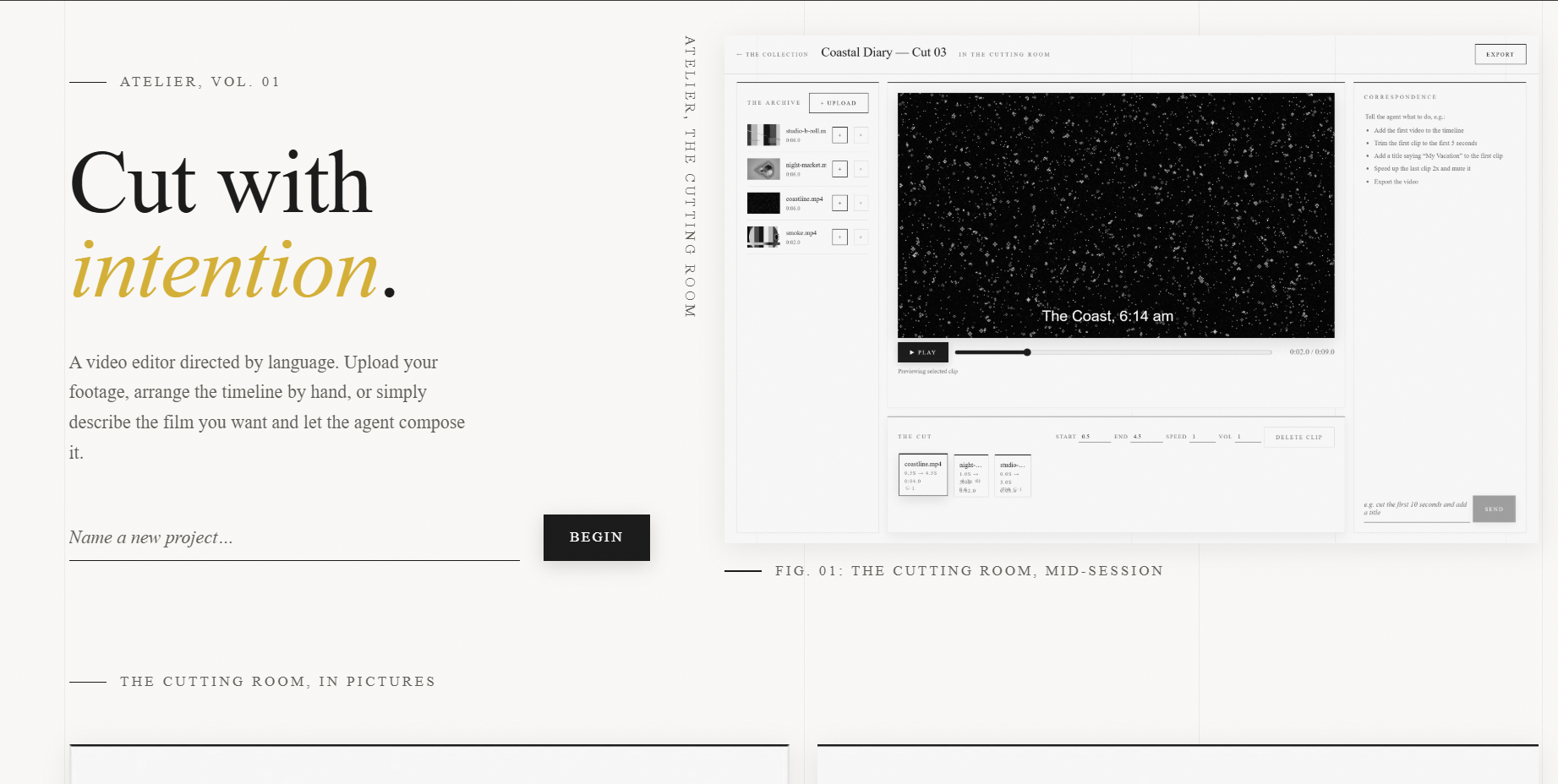
Atelier is a full-stack web video editor (Next.js + FastAPI) driven by an LLM agent. Natural-language commands are translated via function calling (Gemini / Claude APIs) into schema-validated editing operations, backed by a server-side FFmpeg rendering pipeline with an async job queue, real-time progress, and crash recovery.
Agentic Command Layer
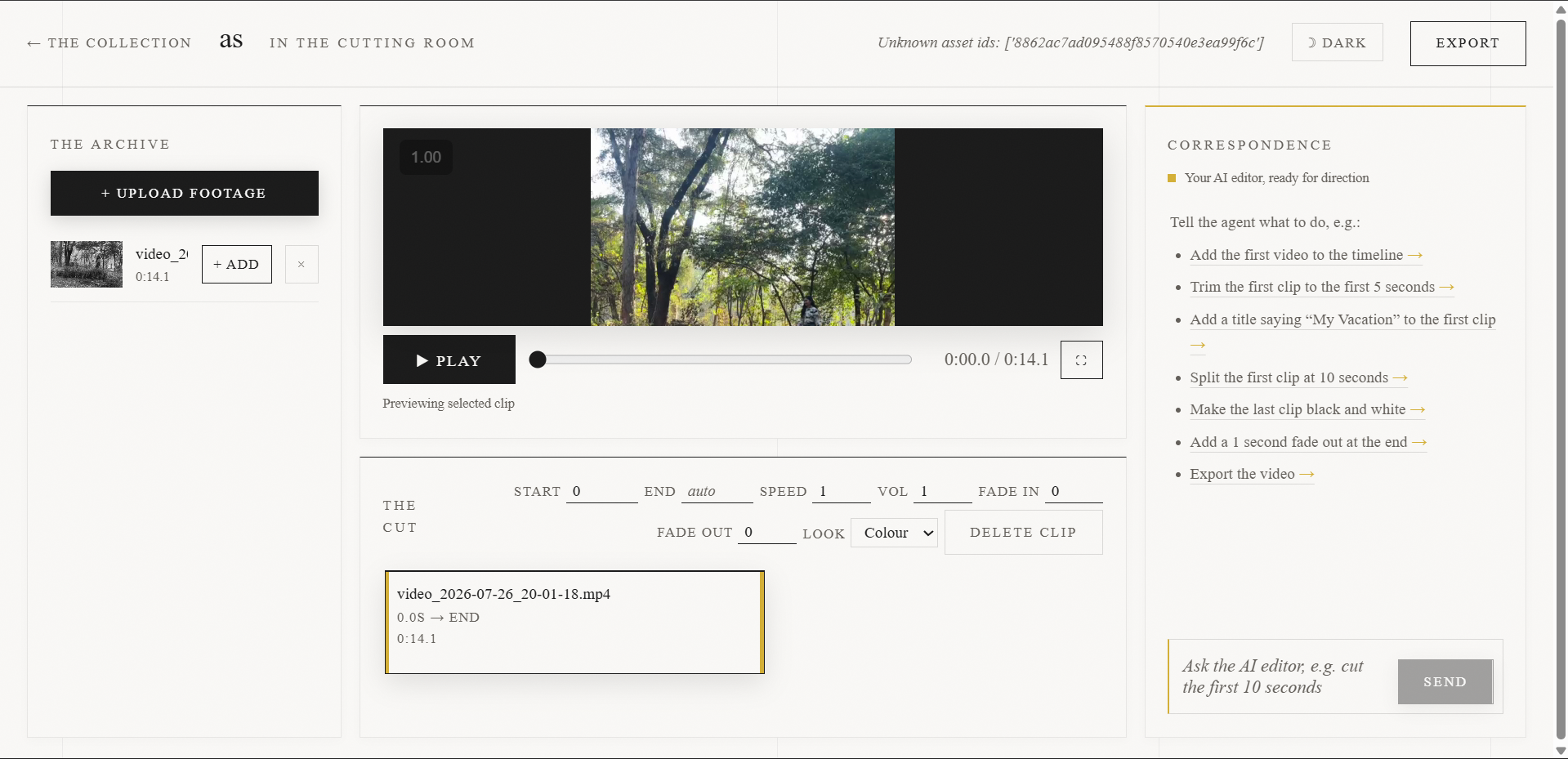
Natural-language commands are translated via function calling (Gemini / Claude APIs) into 10 schema-validated editing operations. The agent reads the real timeline state before acting, self-corrects on error feedback, and uses all-or-nothing persistence so a failed command never leaves the timeline in a broken state.
Rendering Pipeline
A server-side FFmpeg rendering pipeline handles trim, speed, volume, text overlays, and multi-clip concat, wrapped in an async job queue with real-time progress tracking and crash recovery. Correctness is verified by 53 automated tests (pytest + vitest), including real FFmpeg render assertions and timeline-math unit tests.
Deployment & Docs
Shipped with Docker Compose and a split cloud deployment: a Vercel frontend proxying to a Render Docker API. The repo ships full documentation — ARCHITECTURE.md (system design), DECISIONS.md (tool-choice rationales like Konva vs alternatives, server vs wasm), ERRORS-AND-FIXES.md, and an API reference with live Swagger — plus a decision log and 18 documented failure modes with fixes.
Key Features
Edit videos by talking to an agent — e.g. "cut the first 10 seconds, add a title and export" — or manipulate the timeline directly.
Canvas-based timeline preview (Konva) renders clips and text overlays in real time, in the browser.
The agent inspects the real timeline state, applies validated operations, and lists every action it took.
All-or-nothing persistence: changes save only on complete success, so a failed command never corrupts the timeline.
Async background job queue renders long exports without blocking the UI, with real-time progress and crash recovery.
Model-flexible: works with Claude (opus-4-8) or Gemini (2.5-flash) via tool-use, no fine-tuning required.
Tech Stack
Talk To It
- > Add beach.mp4 to the timeline
- > Trim the first clip to 3–8 seconds
- > Add a caption 'Day 1' at the bottom for 3 seconds
- > Speed the second clip up 2x and mute it
- > Export the video
Documented Failure Modes
- Subprocess pipe deadlocks when FFmpeg stdout/stderr buffers filled
- FFmpeg filter-graph quoting breaking on special characters in overlay text
- Codec version quirks producing inconsistent output across environments